
Quotes
One line per item
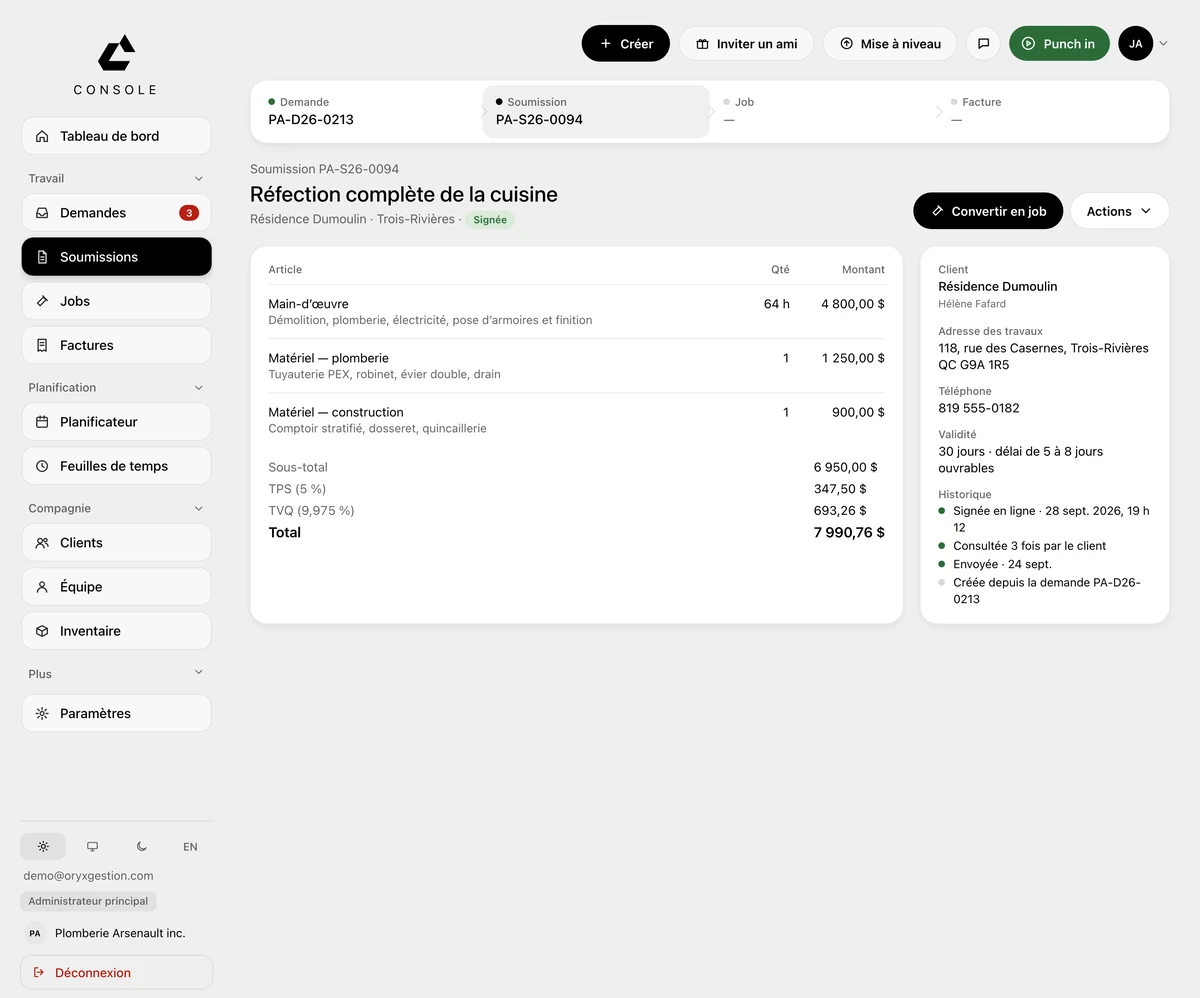
Panel, outlets, fixtures, charger: one line each, quantity times unit price. 5% GST and 9.975% QST calculated for you. Your client signs from their phone, and one button converts the quote into a job.
More about QuotesElectricians
From the panel upgrade to the EV charger invoice. The quote, your electricians' hours and GST/QST in one place.
30-day free trial, no credit card
Your day
The panel quote gets worked out on a scrap of cardboard. Your electricians' hours come in by text on Friday night. The supplier receipts ride around in the glove box, and the invoice for the EV charger goes out three weeks after the work.
What ORYX changes
Quotes
Panel, outlets, fixtures, charger: one line each, quantity times unit price. 5% GST and 9.975% QST calculated for you. Your client signs from their phone, and one button converts the quote into a job.
More about QuotesScheduling
One column per day. A converted job waits in the To schedule tray until you place it. Time-off requests sit in Crew requests, on the same screen.
More about SchedulingField app
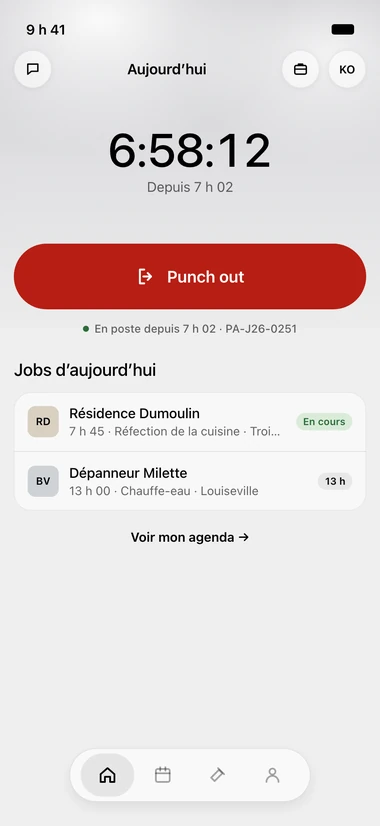
Your electrician sees the shift timer and the day's jobs. Punch in on arrival, Punch out on the way out. On the way · On site · Done: a text goes to the client.
More about Field appJobs
Every site gets its own job. The Hours, Materials and Photos tabs stay on it. The Profitability block compares planned hours to actual hours and shows the expected margin, job by job.
More about JobsWhat ORYX doesn’t do
ORYX doesn't run CCQ payroll and has no per-item unit-price library. You enter your own prices on each line, and the hours export to Excel or CSV for your payroll software. For CCQ, keep a specialized tool.
Questions we get asked
On the right job: in the app, the Punch in on this job button ties the entry to that site. In Timesheets, you approve the week and export payroll to Excel or CSV.
No. On a service call, the button is Create job, and the finished job shows Invoice: the lines, GST and QST are already there.
Yes. Invoices export to Acomba and Avantage, there's a push to QuickBooks Online, and to get you started, your client list imports from an Acomba, Sage 50 or Excel file.
Free trial, no card
30 days to try it on your real jobs. Your email, a password, the code we send you, and you’re in.
30-day free trial, no credit card
No commitment
Cancel any time from your console, and take your data out.
30 minutes of setup, included
We set up your account with you, on the phone, during the trial.
Your clients imported
An Acomba, Sage 50 or Excel file, and your list is in the tool.
Support from the founder
The founder answers himself, by email or on the phone.