
Requests
The call comes in with the address
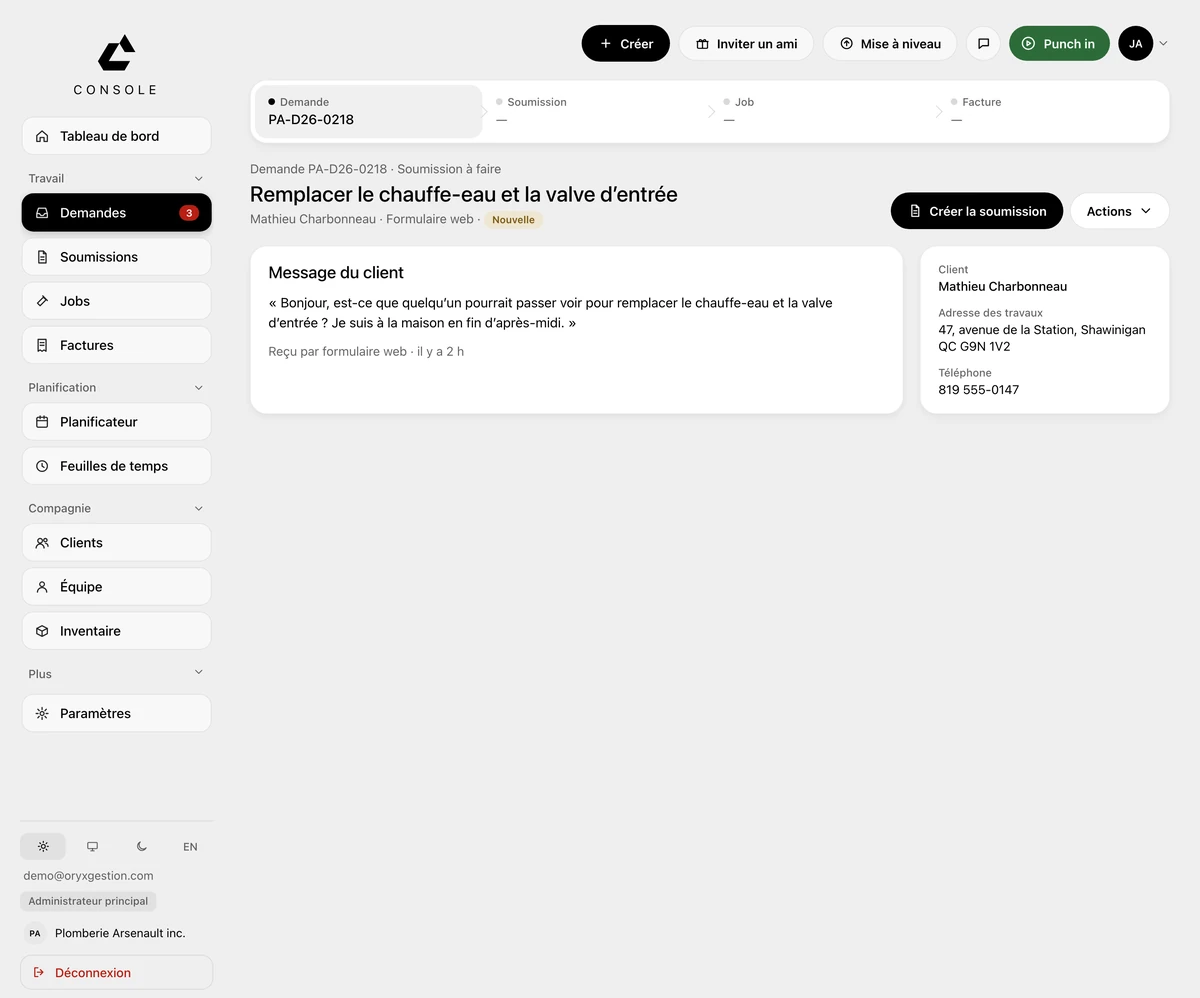
The client, the job address and the on-site contact are on the request. On a service call, the button says “Create job”. For a bathroom that needs a quote, “Create quote”.
More about RequestsPlumbers
The call comes in with the address and the on-site contact. One button makes it a job. Your plumber sees it on their iPhone. The job lines carry over to the invoice.
30-day free trial, no credit card
Your day
The address scribbled on the hood of the truck. The client texting “when are you getting here?” while you're under a sink. Friday night, the crew's timesheets in a spreadsheet and the shoebox of receipts for the accountant.
What ORYX changes
Requests
The client, the job address and the on-site contact are on the request. On a service call, the button says “Create job”. For a bathroom that needs a quote, “Create quote”.
More about RequestsField app
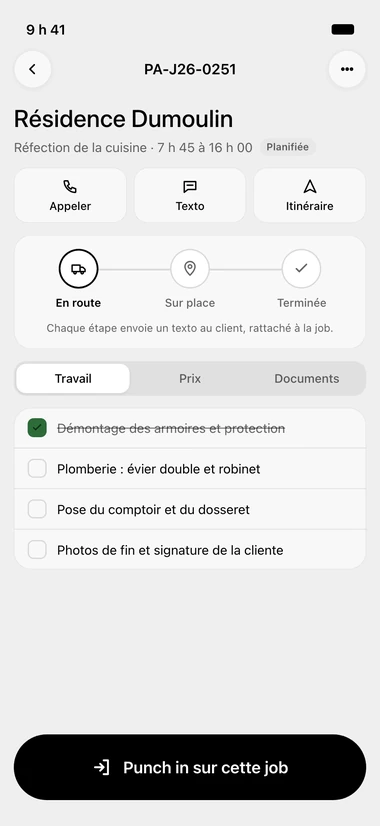
The job sheet: Call, Text, Directions, one button each. When they tap On the way, On site or Done, a text goes to the client. Tasks get checked off, and they punch in on that job.
More about Field appQuotes
Quantity × price per line, GST at 5%, QST at 9.975%, deposit due at signing. Once signed, the quote converts to a job in one button.
More about QuotesInvoicing
On the finished job, the next button is “Invoice”. The lines carry over, with GST and QST. You send it to the client, they pay online, and you record the payment.
More about InvoicingWhat ORYX doesn’t do
No supplier catalogue, no trade-specific unit price library, no recurring maintenance contracts. For that, you need specialized software. ORYX covers the request, the quote, the job, the hours and the invoice.
Questions we get asked
Not always: a signed quote can be invoiced without opening a job, through Actions › Invoice directly. GST and QST are calculated.
Yes: the email carries a Pay online button, and the invoice PDF has a how-to-pay box with Interac and cheque. You then record the payment on the invoice.
Punch in, Punch out in the app, and every entry carries its job. The office approves the week and exports payroll to Excel or CSV, regular and overtime hours separated.
Free trial, no card
30 days to try it on your real jobs. Your email, a password, the code we send you, and you’re in.
30-day free trial, no credit card
No commitment
Cancel any time from your console, and take your data out.
30 minutes of setup, included
We set up your account with you, on the phone, during the trial.
Your clients imported
An Acomba, Sage 50 or Excel file, and your list is in the tool.
Support from the founder
The founder answers himself, by email or on the phone.