

Quotes
The re-roof gets signed from a phone, deposit and all
Quantity and unit price on each line, GST at 5%, QST at 9.975%. Once sent, follow-ups go out on their own at 2, 7 and 14 days.
More about QuotesRoofing
Three shingles torn off in a windstorm, or a full re-roof. The quote, the job, the hours and the invoice in one place.
30-day free trial, no credit card
Your day
Five roofers on a roof, rain in the forecast for Thursday, and the phone ringing about a leak. Everyone's hours on the hood of the truck, the end-of-job photos spread across three phones, and the quote you promised Monday still sitting on the corner of the desk.
What ORYX changes
Quotes
Quantity and unit price on each line, GST at 5%, QST at 9.975%. Once sent, follow-ups go out on their own at 2, 7 and 14 days.
More about QuotesJobs
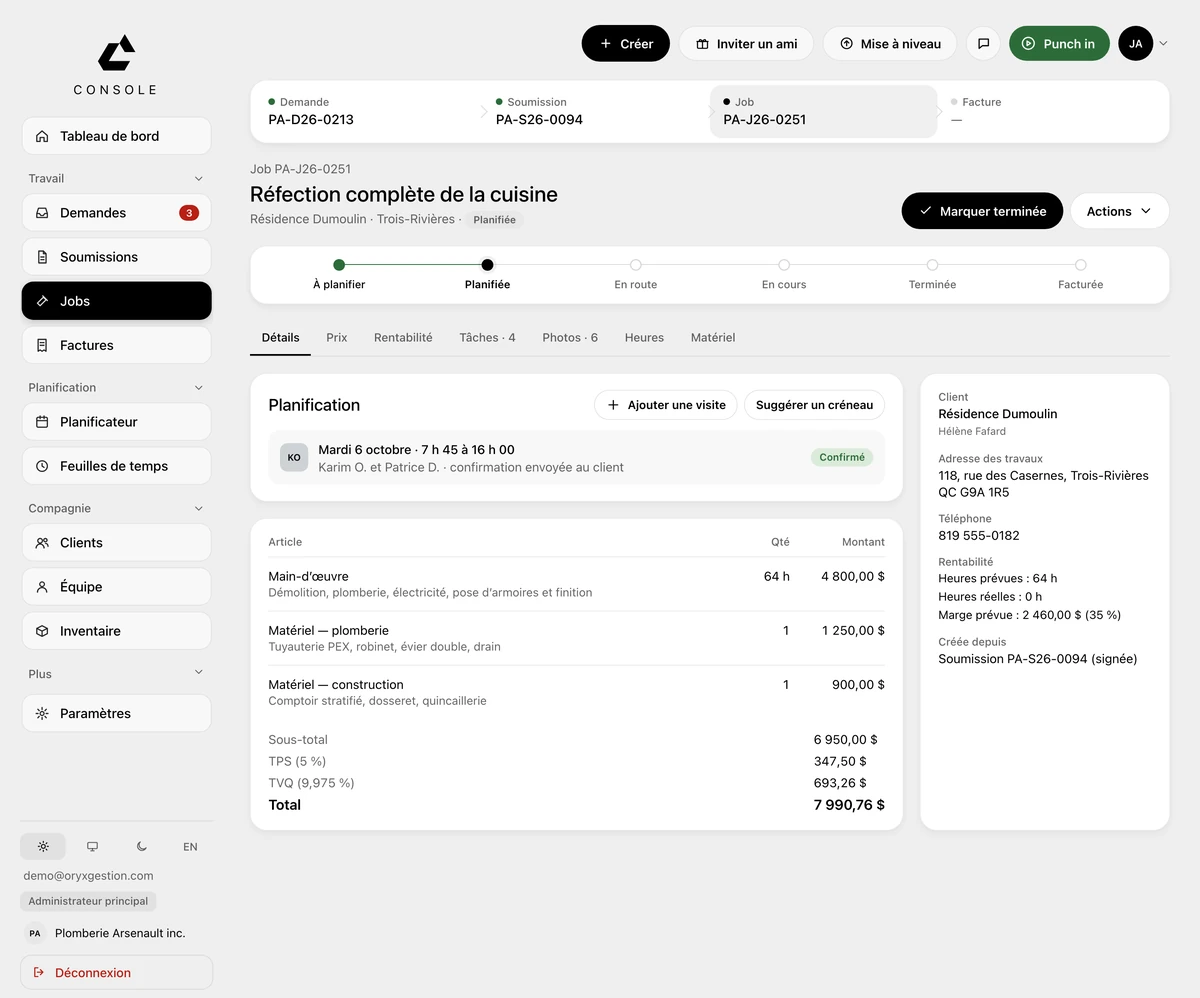
You assign your roofers to the visit, with a start time. The job moves from To schedule to Invoiced. End-of-job photos, hours and materials each have their own tab, on the same job sheet.
More about JobsField app
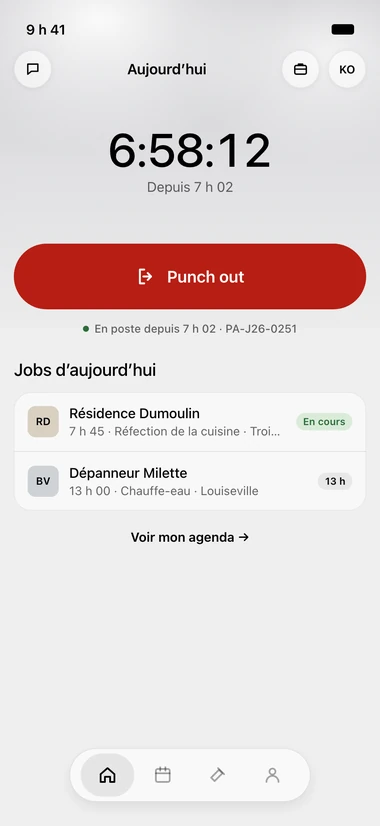
Punch in on arrival, Punch out when the ladder comes down. The day's jobs sit under the button. On the way, On site, Done: each tap sends the client a text, attached to the job.
More about Field appInvoicing
On the finished job, one button: Invoice. The lines carry over with GST, QST and net 30. Send to client, Pay online for them, Record a payment for you.
More about InvoicingWhat ORYX doesn’t do
No CCQ payroll, no roof take-offs from plans, no price book per square of shingles. You enter your own lines, quantities and prices. For CCQ payroll or take-offs, keep a specialized tool: ORYX exports the hours to Excel or CSV.
Questions we get asked
No. A service call goes in as a request, with the client, the address and the on-site contact, and the main button is Create job: the quote is for the re-roof you need to price.
Every Punch in is tied to its job, and Timesheets shows one row per employee. You approve the week, then export payroll to Excel or CSV, regular and overtime hours separated.
Yes. You start with the new jobs, the old ones finish in your old system; your clients come over from an Acomba, Sage 50 or Excel file, and the 30 minutes of setup are included during the trial.
Free trial, no card
30 days to try it on your real jobs. Your email, a password, the code we send you, and you’re in.
30-day free trial, no credit card
No commitment
Cancel any time from your console, and take your data out.
30 minutes of setup, included
We set up your account with you, on the phone, during the trial.
Your clients imported
An Acomba, Sage 50 or Excel file, and your list is in the tool.
Support from the founder
The founder answers himself, by email or on the phone.