
ORYX Console

General contractors

Three sites on the go, and the margin on each one.

You enter the client once. The multi-line quote, the deposit at signing, your crew's visits and the invoice all stay on the same job.

30-day free trial, no credit card

  • Home renovations
  • Additions and basements
  • Small commercial fit-ups
  • Kitchens and bathrooms
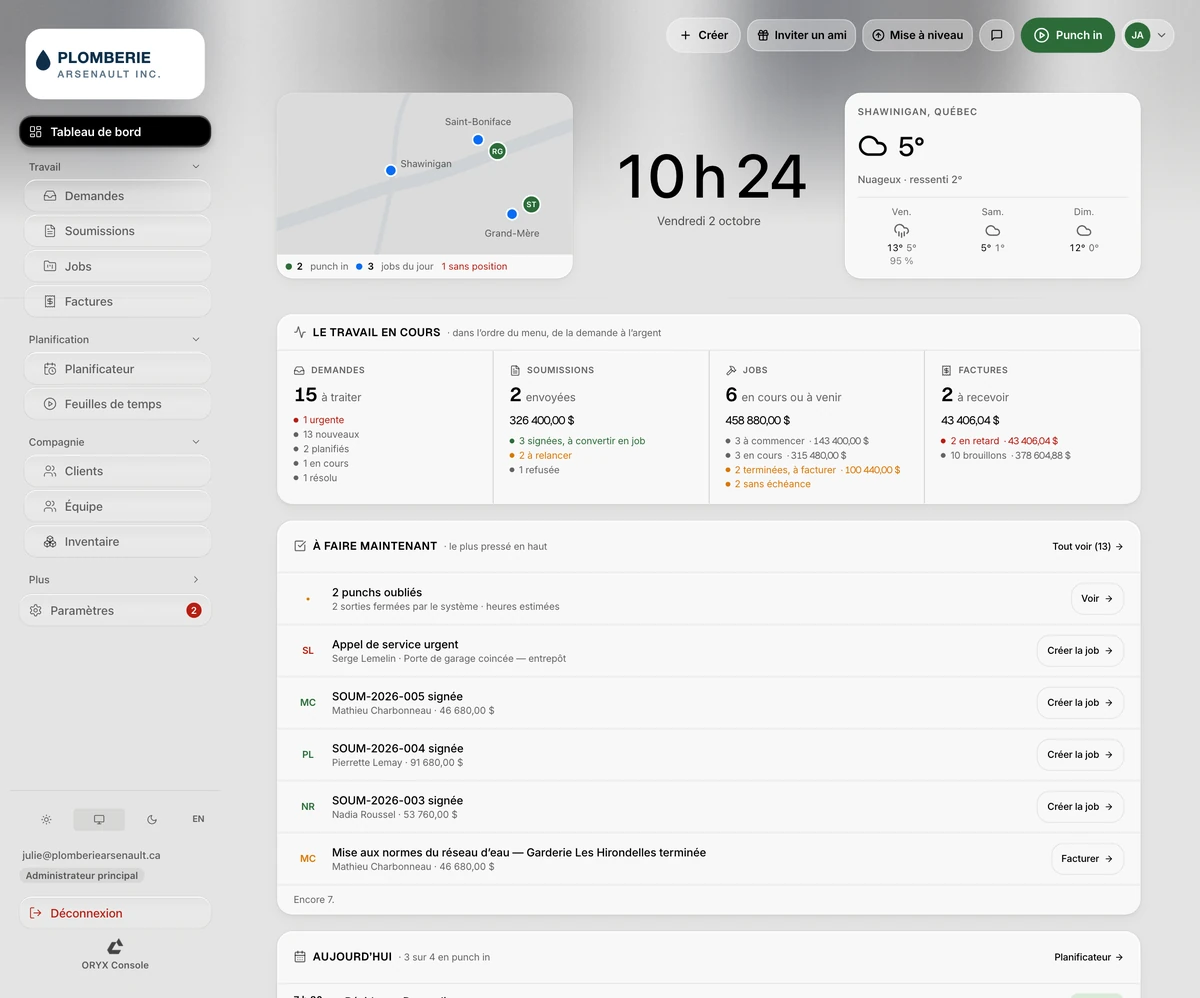
ORYX Console dashboard: the work in progress in four columns — requests, quotes, jobs and invoices — with their counts and amounts, the Do now list with a button on each line, and the day's punches.

Your day

Three addresses, one truck hood.

Your employee texting to ask what time he starts. The basement client asking what's happening with his deposit. The hours spreadsheet on the hood, the material invoices in the shoebox of receipts, and the addition quote still waiting for a signature.

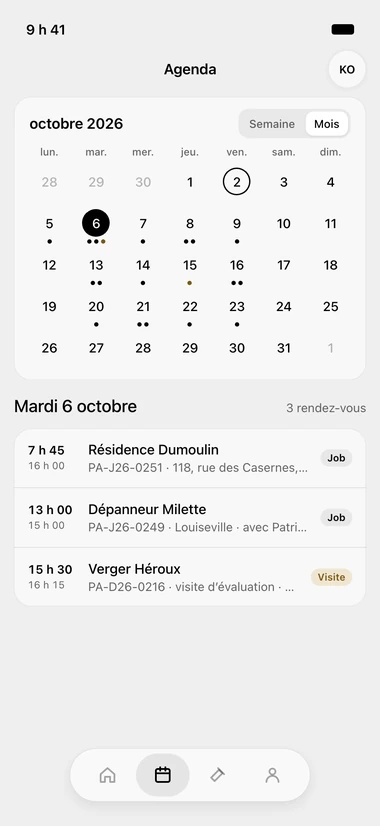
Schedule screen in the ORYX Console iPhone app: the month calendar with a dot under each busy day, the Week or Month switch, and the chosen day's appointments underneath, with their start time, end time and client.

What ORYX changes

Four things that change in the first week.

Quotes

One line per item, signed from a phone

Demolition, framing, finishing: quantity × price on every line, GST and QST calculated. The client signs from their phone, deposit at signing. The follow-up goes out at 2, 7 and 14 days.

More about Quotes

Jobs

One job per site, with its margin

Each visit is assigned to an employee, with a time. Photos, hours, materials, documents and notes stay on the job. The Profitability block compares planned hours to actual and shows the margin.

More about Jobs

Invoicing

The finished job, invoiced with one button

A finished job shows “Invoice”. The invoice carries its lines, GST and QST, net 30. The client pays online, you record the payment. Export to Acomba or Avantage, or send to QuickBooks Online.

More about Invoicing

Field app

Your crew sees their sites ahead of time

In the iPhone app, the month view shows the days with work on them, with the time, the client and the address. On site: Call, Text, Directions, the task checklist and Punch in on the job.

More about Field app

What ORYX doesn’t do

What ORYX doesn't do for a general contractor

No CCQ payroll, no takeoffs from plans, no unit-price library by trade. Keep your specialized software or your estimator for that. ORYX handles the rest: the quote, the job, your crew's hours and the invoice.

Questions we get asked

Yes. The deposit shows in the quote email, and the document carries both the deposit and the balance due at the end of the work.

Only if you allow it. In the app, the job's Pricing tab follows the employee's permissions.

Yes. You start with the new jobs, the old ones finish in your old system; your clients come over by file from Acomba, Sage 50 or Excel, and 30 minutes of setup are included during the trial.

Free trial, no card

Ready to see your whole business on a single screen?

30 days to try it on your real jobs. Your email, a password, the code we send you, and you’re in.

Free trial

30-day free trial, no credit card

  • No commitment

    Cancel any time from your console, and take your data out.

  • 30 minutes of setup, included

    We set up your account with you, on the phone, during the trial.

  • Your clients imported

    An Acomba, Sage 50 or Excel file, and your list is in the tool.

  • Support from the founder

    The founder answers himself, by email or on the phone.